 Development
What Is the Difference Between UI and UX? A Complete i2d Guide
When browsing websites or using mobile apps, you’ve likely encountered the terms UI and UX. These buzzwords appear everywhere in the digital world, yet many...
Read More

Xero Payment Gateway Integration: Xero payment gateway integration is the process of connecting Xero accounting software with an online payment provider so businesses can receive...

Xero payment gateway integration is the process of connecting Xero accounting software with an online payment provider so businesses can receive payments directly against their invoices. It allows customers to pay using supported methods such as credit cards, debit cards and online payment services. Once configured, payment information can be synchronised with Xero, helping businesses reduce manual data entry, speed up invoice payments, improve cash flow and simplify reconciliation. For New Zealand businesses, this integration makes it easier to manage customer payments and accounting records from one central platform.
Managing business finances involves more than recording sales and tracking expenses. New Zealand businesses also need an efficient way to send invoices, collect customer payments and maintain accurate financial records. When these activities are handled through separate systems, they can create unnecessary administrative work and increase the chances of accounting errors.
This is where Xero payment gateway integration becomes valuable.
Xero is a popular cloud-based accounting platform that helps businesses manage invoices, expenses, bank transactions and financial reporting. By connecting a suitable payment gateway, businesses can make it easier for customers to pay invoices online while keeping payment information organised within their accounting workflow.
Whether you operate a small business in Auckland, manage an online store in Wellington or provide professional services across New Zealand, integrating payment solutions with Xero can improve the way you manage transactions.
In this guide, we will explain how Xero payment gateway integration works, its benefits, available integration options, setup considerations and how to choose the right payment solution for your business.
Xero payment gateway integration connects your Xero accounting system with a payment service that processes online transactions. It allows businesses to accept digital payments without requiring customers to rely on traditional bank transfers or manual payment arrangements.
A payment gateway acts as a connection between your customer’s payment method, the payment processor and your business account.
For example, when you send an invoice through Xero, you can enable an online payment option through a supported payment provider. Your customer receives the invoice, opens the payment link and completes the transaction using an available payment method.
The payment provider processes the transaction and communicates the relevant payment information to your accounting workflow.
Depending on the provider and integration configuration, this may include:
It is important to understand that Xero does not process every payment itself. Payment processing is handled by the connected provider, while Xero helps manage the associated accounting records.
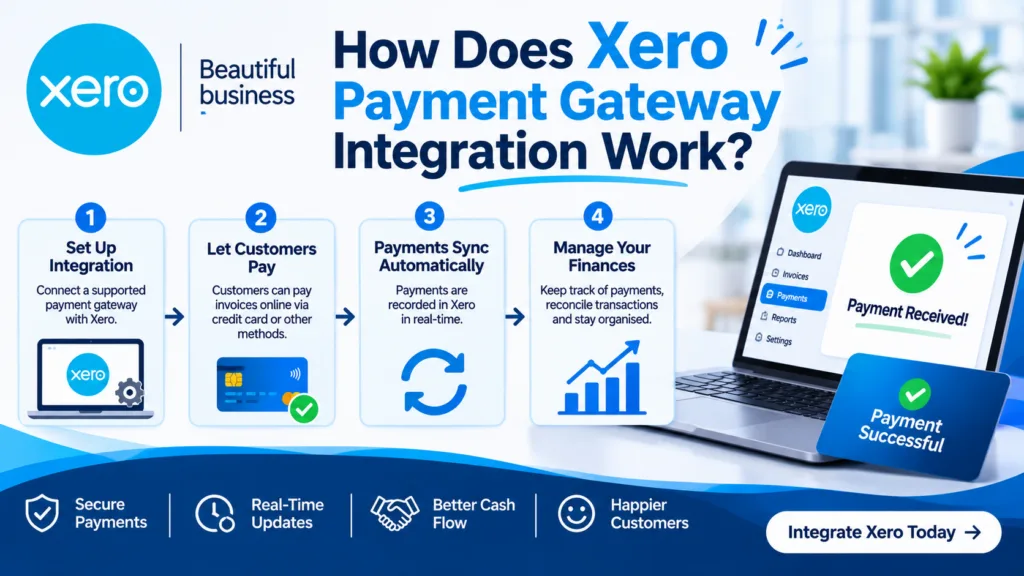
The integration process is designed to connect customer payments with your business accounting system.
Although the exact workflow depends on your chosen provider, the general process is straightforward.
Start by creating an invoice for your customer through your Xero account. Add the relevant products or services, payment amount, due date and customer details.
Xero allows you to email invoices directly to customers, making the billing process more convenient.
Once your payment provider is connected, configure the available payment options for your invoices.
Depending on the provider, customers may be able to pay using:
Available payment options depend on the provider, your account configuration and its support for New Zealand businesses.
Your customer receives the invoice and selects the payment option.
They are then directed to the provider’s secure payment interface or checkout experience, where they enter the required payment information and complete the transaction.
After a successful payment, the payment provider communicates the transaction information through its Xero integration.
Depending on the setup, the invoice may be marked as paid automatically or the payment may appear for further reconciliation.
The final step is ensuring that the payment records match the money received in your business bank account.
This includes accounting for transaction fees, settlement timing and any refunds or chargebacks.
A properly configured integration makes this process easier and helps maintain accurate financial records.

Connecting Xero with an online payment provider can make financial management easier for businesses of different sizes. Instead of managing every payment manually, you can create a more organised process that connects invoicing, payment collection and accounting.
Here are some important benefits.
Late payments can affect business cash flow and make it difficult to manage daily expenses. Traditional invoices often require customers to open their banking app, enter account details and manually transfer money.
With online payment integration, customers can simply click the Pay Now button on an invoice and complete their payment.
This reduces unnecessary steps and encourages customers to settle invoices sooner.
Manually entering payment information into accounting software takes time, particularly for businesses processing a large number of transactions.
Xero integrations can automatically update invoice records when payments are successfully processed.
This helps reduce repetitive tasks and gives business owners more time to focus on sales, customer service and business growth.
A healthy cash flow is essential for maintaining business operations. Businesses need to know when money is coming in, which invoices remain unpaid and how much they can expect to receive.
When your payment provider communicates with Xero, you can monitor payment activity and outstanding invoices more efficiently.
This makes it easier to plan supplier payments, manage operating costs and make informed financial decisions.
Customers appreciate payment options that are simple, secure and convenient.
Offering online card payments and supported digital wallets gives customers more flexibility when settling invoices.
For example, a customer who receives an invoice after purchasing a service can pay immediately without contacting your accounts department for bank details.
A smoother payment experience can also help build trust and encourage repeat business.
Reconciliation involves matching incoming bank transactions with the correct accounting records.
When payments and fees are recorded correctly, businesses can identify which invoices have been paid and which transactions still need attention.
Xero integrations can simplify this process by connecting payment information with invoices and accounting accounts.
However, businesses should still review settlement amounts, transaction fees and bank deposits to ensure their records remain accurate.
Keeping financial information in one organised system helps business owners understand their financial position.
With Xero, you can review invoices, payment records, outstanding balances and other important accounting information.
This visibility helps businesses identify payment delays, monitor revenue and plan future expenses more confidently.

Choosing the right payment provider is an important part of the integration process. Different providers offer different payment methods, transaction fees and business features.
New Zealand businesses should compare these options according to their customers’ needs and transaction requirements.
Stripe is a popular payment processing platform that connects with Xero.
It allows businesses to accept supported credit and debit card payments through online invoices. Depending on the account and configuration, customers may also have access to Apple Pay and Google Pay.
Some useful Stripe features include:
Stripe can be a suitable option for service providers, online businesses and companies that regularly invoice customers.
GoCardless focuses on bank-to-bank payments and direct debit collection.
It can be particularly useful for businesses that charge customers regularly, such as subscription services, membership organisations and professional service providers.
Its integration with Xero helps businesses manage recurring collections and connect payment information with accounting records.
Key features include:
Before choosing this provider, check its current New Zealand availability, supported payment schemes and eligibility requirements.
PayPal is another payment service that can work with Xero.
It provides an established online payment experience and allows eligible customers to pay using their PayPal accounts and supported card options.
PayPal may be useful for businesses that sell products or services internationally and want to offer customers another way to complete transactions.
Its suitability depends on transaction fees, account availability, currency requirements and the payment experience you want to provide.
Xero also provides an App Store where businesses can explore additional payment applications.
Depending on your requirements, you may find solutions for:
You can explore the available options through the official Xero App Store payment integrations.
Important: Not every payment provider offers the same level of integration. Some connect directly with Xero, while others rely on third-party applications, custom payment URLs or additional automation.
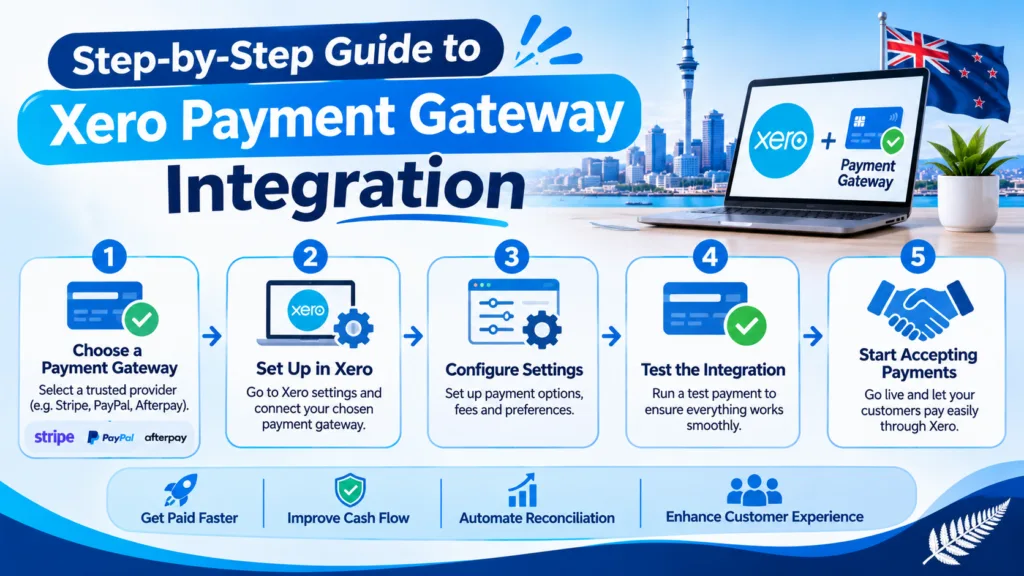
Setting up an integration does not necessarily require advanced technical knowledge. Many supported providers can be connected directly through Xero.
The following steps explain the general setup process.
Before starting, make sure your Xero subscription is active and you have the appropriate user permissions.
You should also review your accounting configuration, including:
Having these details ready can make the setup process smoother.
Choose a provider based on the payment methods you want to offer.
For example, Stripe may be appropriate if you want customers to pay by card, while GoCardless may suit businesses that collect recurring direct debit payments.
Compare transaction charges, settlement periods, supported currencies and integration features before making your decision.
Log in to Xero and navigate to:
Sales → Online payments → Add a new service
You will see the available payment service options for your organisation.
Select your preferred provider and follow the instructions to connect an existing account or create a new one.
Your payment provider may redirect you to a secure authorisation page.
Log in to the relevant account and approve the connection with Xero.
Review the permissions requested during the process and ensure you are connecting the correct business organisation.
Select the bank account where payment settlements should be recorded.
You may also need to select or create an expense account for payment processing fees.
This is an important step because the amount received in your bank account may be different from the original invoice amount after processing charges are deducted.
Make sure the account selections match your actual accounting arrangements.
Once the provider is connected, open the Online payments settings and select the relevant invoice template.
Enable the payment service so eligible invoices include the online payment option.
You can also add a payment method to individual invoices where required.
Before using the integration for regular business transactions, check that everything works correctly.
Review the following:
Use the provider’s supported test environment where available, or follow its recommended verification process.
The setup is complete when payments can be processed correctly and the accounting records reflect the transactions.
Online retailers have different payment requirements compared with businesses that only send service invoices.
An e-commerce website needs a checkout system that can process customer orders, calculate totals, manage payment confirmations and communicate relevant sales information to accounting software.
Integrating Xero with an e-commerce payment solution can help connect these activities.
For example, when a customer purchases a product through an online store, the payment gateway processes the transaction. The connected accounting integration can then transfer relevant order and payment information into Xero.
Depending on the integration, this may include:
Businesses should ensure that their e-commerce platform, payment gateway and accounting software are configured to avoid duplicate sales entries.
A professionally developed online store also needs a smooth checkout experience. Businesses investing in Website Design NZ should consider payment functionality during the planning stage rather than treating it as an additional feature after the website is launched.
Standard integrations are suitable for many businesses. However, some companies require additional functionality that cannot be achieved through the default connection.
In these situations, custom integration may be a better approach.
For example, a business may need to connect Xero with an existing CRM, booking platform, subscription system or custom-built e-commerce website.
A custom solution can use APIs and automation to transfer information between different platforms.
Some possible requirements include:
Automated invoice creation: Generate Xero invoices when customers complete purchases or bookings.
Custom payment workflows: Connect a payment gateway with a business-specific checkout process.
Customer data synchronisation: Transfer relevant customer information between business systems.
Refund management: Connect refund events with the appropriate accounting records.
Automated reporting: Collect payment information and prepare reports for internal financial management.
Xero provides developer documentation and APIs for building supported integrations. Developers should follow its authentication, security and app certification requirements.
If your business needs a customised digital solution, working with an experienced development team can help ensure that the integration fits your existing systems.
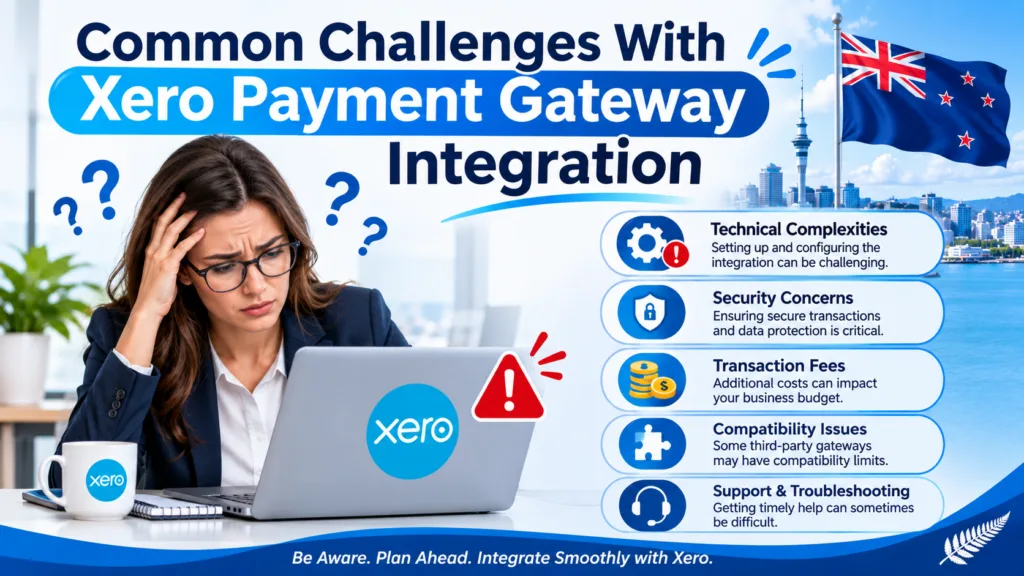
Although connecting Xero with a payment gateway can simplify financial management, businesses should understand a few common challenges before implementing the solution.
Selecting the wrong bank or expense account can create problems during reconciliation.
For example, if payment processing fees are not recorded correctly, the bank deposit may not match the original invoice amount.
Solution: Review your chart of accounts and confirm the correct payment and expense accounts before activating the integration.
Some integrations do not update accounting records instantly. Payment processing, settlement and synchronisation may happen at different times.
Solution: Check your provider’s transaction status and synchronisation settings. Avoid recording the same payment manually unless necessary.
Payment gateways usually charge processing fees. These costs can affect profit margins, particularly for businesses processing frequent or high-value transactions.
Solution: Compare provider pricing and understand how fees are calculated before selecting a payment service.
Payment information must be handled securely. Businesses should use trusted payment providers and avoid storing sensitive card details unnecessarily.
Solution: Choose reputable providers that maintain appropriate payment security standards, use secure connections and follow relevant privacy requirements.
Not every payment gateway supports every website platform or accounting workflow.
Solution: Check compatibility between your website, payment provider and Xero before investing in development or integration work.
Security should be a priority whenever customers make payments online.
A reliable payment integration helps protect transaction information and provides customers with a more trustworthy payment experience.
Here are some important considerations.
New Zealand businesses should also consider their obligations under the Privacy Act 2020 when collecting and managing personal information.
For additional guidance, visit the official Office of the Privacy Commissioner New Zealand and PCI Security Standards Council.
The total cost depends on the payment provider, integration method and additional functionality your business requires.
There is no single fixed price for every business because payment processing fees and development requirements can vary.
The main costs to consider include:
1. Xero Subscription: Businesses need an appropriate Xero subscription to access its accounting features.
2. Payment Processing Fees: Providers generally charge transaction fees for processing online payments. These may depend on the payment method, transaction amount and customer location.
3. Custom Development: If your website requires a customised connection, additional development costs may apply.
4. Third-Party Applications: Some integrations require an additional application or automation service with its own subscription charges.
5. Ongoing Maintenance: Custom integrations may require monitoring, updates and technical support to remain reliable.
Before selecting a solution, calculate the overall cost rather than comparing transaction fees alone. A slightly more expensive provider may offer features that save your business significant administrative time.
Your website plays an important role in how customers interact with your payment system.
A poorly designed checkout process can discourage customers from completing purchases, even when the payment gateway itself works correctly.
Businesses planning a new website or upgrading an existing one should consider payment functionality, mobile responsiveness, website speed and customer experience.
For example, professional web design auckland services can help local businesses create websites with clear navigation, accessible payment options and user-friendly checkout experiences.
It is also important to consider long-term technical support. Payment integrations, website plugins and third-party APIs can change over time.
Reliable Website Maintenance Services help businesses keep their websites updated, monitor technical issues and maintain the functionality of connected payment systems.
At i2D, businesses can explore digital solutions that support their online presence, website performance and wider digital growth requirements.
Once your payment gateway is connected, regular monitoring will help keep your financial workflows organised.
Consider following these best practices:
These practices help reduce accounting mistakes and make payment management more predictable.
Xero payment gateway integration provides New Zealand businesses with a practical way to connect online payment collection with accounting operations. By allowing customers to pay invoices online and synchronising relevant transaction information, businesses can reduce manual administration and improve their financial workflows.
Whether you choose Stripe, GoCardless, PayPal or another compatible payment solution, the right integration depends on your business model, customer preferences and accounting requirements.
A well-planned setup can improve payment convenience, simplify reconciliation and provide better visibility of business finances. For businesses with more complex requirements, custom development can create connections between Xero, websites and other essential business systems.
The key is to choose a secure, reliable and compatible solution that supports your business as it grows.
Xero supports payment services such as Stripe and GoCardless, with other compatible applications available through its App Store. Availability and supported features depend on the provider and your business location.
Yes. You can connect a supported payment provider, such as Stripe, to your Xero account. Customers can then pay eligible online invoices using supported credit and debit cards.
For supported payment services, Xero can automatically mark invoices as paid when customers successfully complete online payments. However, custom payment URLs and some third-party integrations may require manual payment allocation or reconciliation.
Open your Xero account, navigate to Sales and select Online payments. Choose Add a new service, select Stripe and follow the authorisation and setup instructions. You will also need to configure your payment and expense accounts.
Xero does not generally charge a separate setup fee for connecting supported online payment services. However, payment providers may charge transaction fees, and custom integrations or third-party applications may involve additional costs.
Yes. You can connect compatible e-commerce platforms and payment applications with Xero. Depending on your website and business requirements, you may use an existing integration or develop a custom API-based connection.
 Development
When browsing websites or using mobile apps, you’ve likely encountered the terms UI and UX. These buzzwords appear everywhere in the digital world, yet many...
Read More Development
A good website is more than just a nice-looking brochure. It’s often the first thing a customer sees about your brand, a great way to...
Read More Development
Most Auckland businesses pour thousands of dollars into Google Ads and SEO content — then watch their rankings plateau. The culprit? A slow website that...
Read More