 Development
What Is the Difference Between UI and UX? A Complete i2d Guide
When browsing websites or using mobile apps, you’ve likely encountered the terms UI and UX. These buzzwords appear everywhere in the digital world, yet many...
Read More

A business website is no longer something you build once and leave untouched. For New Zealand businesses, your website can be one of your most...


A business website is no longer something you build once and leave untouched. For New Zealand businesses, your website can be one of your most valuable digital assets, helping customers discover your services, learn about your business, make enquiries and decide whether they can trust you.
However, even a well-designed website can develop problems over time. Software becomes outdated, security vulnerabilities appear, pages become slower, links stop working, content becomes inaccurate, and search engine requirements continue to evolve. Without regular maintenance, these issues can gradually affect both your website visitors and your business performance.
This is why website maintenance should be treated as an ongoing business activity rather than an occasional technical task.
Whether you operate a local service business in Auckland, an eCommerce store in Wellington, a professional practice in Christchurch or a growing company anywhere across New Zealand, a consistent maintenance strategy can help keep your website secure, reliable and competitive.
In this complete guide, we will explain what website maintenance involves, why it matters, which tasks should be performed regularly and how New Zealand businesses can create a practical maintenance routine.
Website maintenance is the ongoing process of checking, updating, protecting and improving a website after it has been launched.
It covers much more than fixing a page when something breaks. Proper maintenance includes technical updates, security monitoring, performance optimisation, content management, SEO checks, backups and user-experience improvements.
A maintenance plan may include tasks such as:
The exact maintenance requirements depend on the type, size and technology of the website. A small local business website may require a simpler routine than a large online store processing hundreds of transactions.
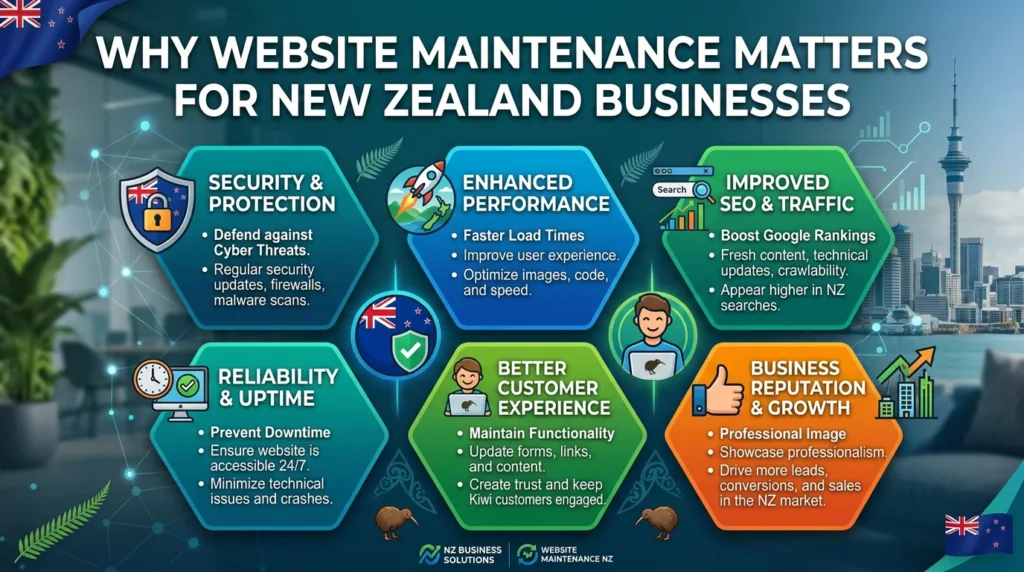
Your website is often the first place potential customers interact with your business. If it loads slowly, displays an error, contains outdated information or looks broken on a mobile device, visitors may leave.
For businesses competing in the New Zealand market, maintaining a professional online presence is particularly important because customers can easily compare several businesses before making a decision.
Security is one of the most important reasons to maintain a website.
Websites built using platforms such as WordPress rely on a combination of core software, themes and plugins. When these components become outdated, vulnerabilities may remain unpatched.
Regular maintenance can reduce unnecessary security risks by keeping software updated and monitoring for suspicious activity.
Security maintenance can include:
No maintenance strategy can guarantee that a website will never experience a security incident, but keeping the website properly maintained can significantly reduce avoidable weaknesses.
Website speed affects the user experience. Visitors generally expect a website to respond quickly, particularly when browsing from a mobile device.
Over time, websites can become slower because of large images, excessive plugins, outdated scripts, unnecessary files, database issues or poorly optimised content.
A maintenance routine should therefore include regular performance checks.
Common speed optimisation tasks include:
A faster website can make it easier for visitors to navigate your pages and complete important actions such as calling your business, submitting a form or purchasing a product.
Search engine optimisation is not only about publishing keywords and building backlinks. Technical website health also contributes to a strong SEO foundation.
A website with broken pages, indexing problems, slow loading times or poor mobile usability can create obstacles for both search engines and users.
Regular maintenance can help identify issues such as:
For businesses investing in SEO, maintaining the technical health of the website is essential. There is little value in attracting visitors from search engines if those visitors encounter a poor website experience after arriving.
Business information changes.
Your opening hours may change. A service may be added or removed. Prices may be updated. Staff members may change. Your contact details may be different. You may introduce a new location or expand into another New Zealand region.
If the website is not maintained, customers may continue seeing outdated information.
Content reviews should therefore be part of your maintenance schedule.
Check important information such as:
Accurate information improves customer confidence and reduces unnecessary enquiries caused by outdated website content.
A significant proportion of website visitors use smartphones and tablets. Your website therefore needs to work properly across different screen sizes.
Mobile testing should not be limited to checking whether the website technically opens on a phone.
You should also check:
For a local New Zealand business, this can be especially important. A customer searching for a service while travelling or looking for a nearby provider may be using their phone and expecting to contact the business quickly.
One of the simplest but most important maintenance activities is creating reliable backups.
A website can experience problems because of a software update, human error, server failure, malicious activity or an unexpected technical issue. If there is no usable backup, restoring the website can become much more difficult.
A good backup strategy should consider:
Creating backups is only half the process. Businesses should also periodically verify that the backups are usable.
A backup that cannot be restored when needed provides little practical protection.
There is no single maintenance schedule suitable for every business. The ideal frequency depends on the website platform, traffic, functionality and level of risk.
However, a useful routine can be divided into daily, weekly, monthly and quarterly activities.
Businesses with important or high-traffic websites may benefit from daily monitoring.
Daily checks can include:
A small brochure-style business website may not require manual daily checks, but automated uptime and security monitoring can still provide valuable protection.
Weekly maintenance may include:
For websites that frequently publish content or products, weekly reviews can also help identify outdated information.
Monthly maintenance should generally be more comprehensive.
It can include:
Monthly maintenance is particularly useful for small and medium-sized businesses because it creates a predictable routine without requiring constant manual attention.
Every few months, businesses should perform a deeper review.
A quarterly audit may include:
This broader review allows you to identify problems that routine maintenance may not reveal.

Website design is not only about creating an attractive homepage. A successful website needs to remain functional and relevant as the business develops.
For example, a company may initially create five service pages but later add several new services. If the website structure is not reviewed, visitors may struggle to find the new information.
Similarly, design elements that looked modern several years ago may eventually feel outdated.
Regular maintenance gives businesses an opportunity to review whether their website still reflects their brand, services and customers.
Businesses considering web design Auckland services should also think about maintenance from the beginning rather than treating it as something to consider after launch.
WordPress is widely used by businesses because it provides flexibility and a large ecosystem of themes and plugins.
However, this flexibility also means WordPress websites require ongoing management.
Important WordPress maintenance tasks include:
The WordPress core should be kept up to date where appropriate. Updates can include security improvements, bug fixes and functionality changes.
Plugins and themes should also be reviewed regularly.
Do not simply install every available update without consideration. On important websites, updates should ideally be tested to reduce the possibility of compatibility problems.
Inactive plugins can create unnecessary complexity and may introduce additional security or maintenance concerns.
If a plugin is no longer required, removing it is generally preferable to simply leaving it inactive.
After major updates, check important pages and functions.
Test:
This helps identify problems before customers do.
Online stores generally require a more detailed maintenance programme because customers depend on the website to browse products, add items to their cart and complete transactions.
eCommerce maintenance should include:
A broken checkout process can directly affect revenue. Therefore, eCommerce businesses should give transaction testing a high priority.
Contact forms are easy to overlook.
A website may appear to work perfectly while enquiries are silently failing because of a configuration issue.
Businesses should periodically test important forms and confirm that:
For lead-generation websites, this is particularly important because a failed form can mean a missed sales opportunity.
Maintenance should not only focus on technical problems. Businesses should also use data to understand how visitors interact with their websites.
Analytics can help answer questions such as:
Combining analytics with regular technical maintenance allows businesses to make more informed improvements.
Search performance should also be reviewed regularly.
Google Search Console can help businesses identify potential issues related to search visibility, indexing and website performance.
Businesses can monitor:
If a previously successful page suddenly loses visibility, maintenance and SEO analysis can help determine whether a technical issue, content problem or broader search change may be involved.
For local New Zealand businesses, consistency is particularly important.
Your website should provide clear information about your location and service areas. This can help customers understand whether your business is relevant to them.
For example, a business serving Auckland suburbs should clearly communicate its service areas rather than relying on customers to guess where the company operates.
The same principle applies to businesses operating in Wellington, Hamilton, Tauranga, Christchurch, Dunedin and other New Zealand locations.
Your website information should also be consistent with your other important online business profiles.
A modern website should be usable by as many people as reasonably possible.
Accessibility reviews can identify issues such as:
Accessibility is not simply a technical consideration. It can improve the overall experience for all visitors.
Ignoring maintenance can create problems gradually.
At first, you may notice something minor, such as an outdated plugin or an old piece of content. Later, these issues can combine into larger problems.
Potential consequences include:
Preventative maintenance is usually easier than trying to repair a severely neglected website.
Website maintenance costs vary depending on the complexity of the website and the services required.
A basic informational website generally requires less maintenance than an eCommerce store, membership platform or website with complex integrations.
Factors that can influence maintenance costs include:
Instead of choosing a maintenance package based solely on price, businesses should consider what is actually included.
A low-cost plan may only cover software updates, while a more comprehensive plan may include backups, security monitoring, performance optimisation, SEO checks and technical support.
If you do not have an internal technical team, outsourcing website maintenance can be a practical option.
When comparing providers, ask:
Choose a provider that can clearly explain its maintenance process rather than simply offering a vague promise to “keep the website updated”.
A professional maintenance approach should be proactive, documented and focused on preventing problems.
A simple checklist can make maintenance much easier to manage.
Some businesses view website maintenance as an unnecessary recurring cost because the website appears to be working.
However, maintenance is similar to servicing a vehicle. You do not wait for an engine to fail before checking it. Regular maintenance helps identify smaller problems before they become expensive ones.
Your website represents your business 24 hours a day. Customers may visit it outside your normal operating hours, compare your services with competitors and make decisions based on what they see.
Keeping that digital asset secure, accurate and functional is therefore a sensible business investment.
For businesses that need reliable digital support, i2D can be considered as part of a broader approach to maintaining and improving their online presence.
Website maintenance is an ongoing responsibility for any New Zealand business that relies on its website for visibility, enquiries, bookings, sales or customer communication.
A successful maintenance strategy should cover more than software updates. Security, backups, speed, SEO, content, mobile usability, forms, analytics and overall user experience all deserve regular attention.
The best approach is proactive rather than reactive. Instead of waiting for a website to break, businesses should establish a consistent maintenance schedule and monitor important areas throughout the year.
Whether you run a small local business or a growing eCommerce operation, a well-maintained website can provide a stronger foundation for digital marketing, customer trust and long-term online growth.
Ultimately, your website should not simply exist online. It should remain secure, fast, accurate, accessible and ready to support your business goals.
Basic websites should generally be checked regularly, with more detailed maintenance performed monthly and a broader technical and SEO review conducted every few months. More complex or high-traffic websites may require more frequent monitoring.
Regular maintenance can help identify technical issues such as broken links, indexing problems, slow pages, mobile usability issues and incorrect redirects that may negatively affect the website's search performance and user experience.
Yes. Keeping the CMS, themes and plugins updated, maintaining reliable backups, monitoring security issues and removing unnecessary software can help reduce avoidable security risks.
The cost varies depending on the website's size, platform, functionality and maintenance requirements. A simple business website generally requires less support than a complex eCommerce or membership website.
Yes, basic maintenance can be handled by a business owner with suitable technical knowledge. However, websites with eCommerce, advanced integrations or significant SEO and security requirements may benefit from professional maintenance.
An unmaintained website can become vulnerable to security problems, broken functionality, slow performance, outdated information, compatibility issues and technical SEO problems. These issues can eventually affect customer trust and business results.
 Development
When browsing websites or using mobile apps, you’ve likely encountered the terms UI and UX. These buzzwords appear everywhere in the digital world, yet many...
Read More Development
A good website is more than just a nice-looking brochure. It’s often the first thing a customer sees about your brand, a great way to...
Read More Development
Most Auckland businesses pour thousands of dollars into Google Ads and SEO content — then watch their rankings plateau. The culprit? A slow website that...
Read More