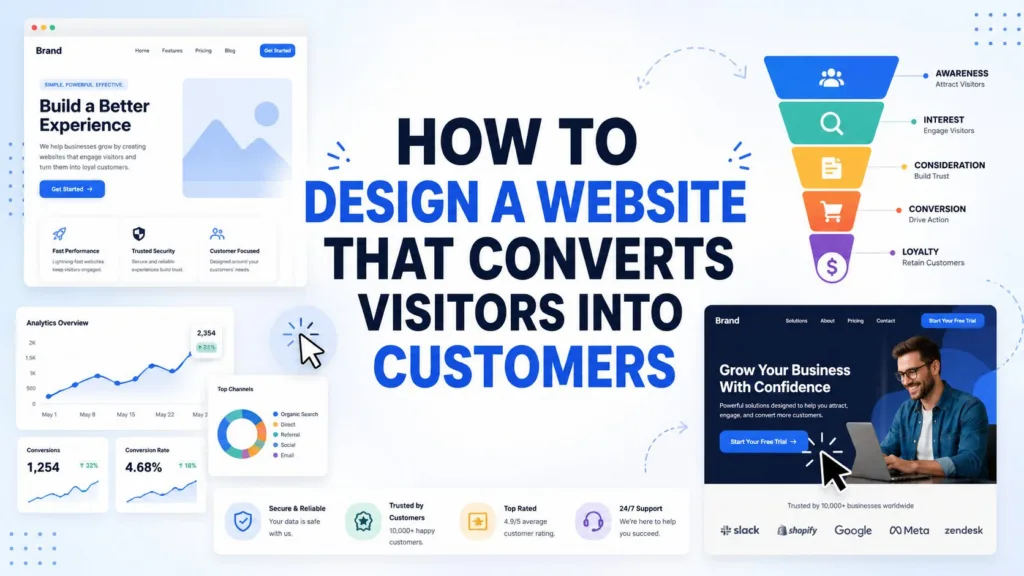
How to Design a Website That Converts Visitors into Customers
For Auckland businesses, a website is no longer simply an online brochure. It is often the first meaningful interaction a potential customer has with a...
Areesh Ishtiaq
May 22, 2026
For Auckland businesses, a website is no longer simply an online brochure. It is often the first meaningful interaction a potential customer has with a brand, and it must quickly explain who the business helps, what problem it solves and why the visitor should take the next step. Designing a site that turns Visitors into Customers requires more than attractive colours, polished imagery or a modern template. It requires a deliberate mix of customer insight, user experience, trust signals, conversion-focused content, technical performance and ongoing measurement. A strong strategy for turning Visitors into Customers also focuses on clear navigation, persuasive calls-to-action and page layouts that guide users naturally. When each element works together, the website becomes a reliable tool for moving Visitors into Customers and supporting business growth.
The best conversion-focused websites are built around the customer journey. They make the visitor feel understood, reduce uncertainty and provide clear pathways to enquire, book, buy or request a quote. Leading web design guidance repeatedly highlights the same foundations: understand the target audience, create a clear value proposition, simplify navigation, optimise for mobile, strengthen calls-to-action, build trust with social proof and use analytics to improve performance over time.
For Small Businesses in Auckland, this matters because every enquiry can be commercially significant. A website that gets traffic but fails to convert wastes marketing spend, while a clear and persuasive website can turn the same traffic into more phone calls, form submissions, bookings and sales.
Why Conversion-Focused Design Matters for Auckland Businesses
Auckland customers often compare several providers before making contact. They may look at service pages, reviews, case studies, pricing signals, location relevance and how easy the business is to reach. A clear CMS Selection Guide can also help businesses choose a website platform that supports better structure, faster updates and stronger user experience. If the website feels confusing, slow or generic, visitors can leave before the business has had a chance to build trust. If the website feels clear, credible and useful, it can move the visitor closer to action.
Conversion-focused design means every important page is planned with a purpose. A homepage may need to communicate the main value proposition. A service page may need to explain the problem, describe the process and show proof. A landing page may need to focus on one campaign offer. A contact page must make the next step simple and reassuring. Turning Visitors into Customers requires each page to guide users with clear messaging, trust signals and strong calls-to-action. Executive Strategy Group describes high-performing websites as systems that build trust, showcase expertise and convert Visitors into Customers, including qualified leads and paying customers. This approach helps Auckland businesses create better journeys that consistently move Visitors into Customers through smart design and content.
A conversion-focused website should not only look professional; it should guide visitors towards a clear business outcome.
This distinction is important. A visually impressive website can still fail if the message is vague, the call-to-action is hidden or the mobile experience is frustrating. A simpler site can perform strongly if it has clear copy, a logical structure, strong trust signals and friction-free enquiry paths.
Understand audience intent and pain points
The first step is understanding what visitors are trying to achieve. A homeowner looking for an Auckland renovation company has different concerns from a founder comparing software consultants or a parent choosing a local health provider. Conversion-centric design starts with audience research, including user personas, pain points, preferences, demographics and buying behaviours.
For Auckland businesses, this research should include practical local questions. Are visitors comparing nearby providers? Do they need urgent help? Are they worried about price, trust, speed, quality or after-sales support? Do they want to call, book online or read more before enquiring? Once these motivations are clear, the website can answer objections before they become reasons to leave.
Map the path from first visit to enquiry
A visitor rarely becomes a customer in one step. They may arrive through Google, scan the homepage, open a service page, check reviews, compare examples and then contact the business. This is the customer journey, and the website should make each step feel natural.
A strong journey has clear entry points, helpful content and logical next steps. Navigation should help users find important pages quickly, while internal links should guide them from education to action. Wibble’s guidance emphasises streamlined navigation, clear pathways and intuitive menus because complicated navigation increases the risk of visitors leaving before they convert.
Start with the Customer Journey, Not the Template
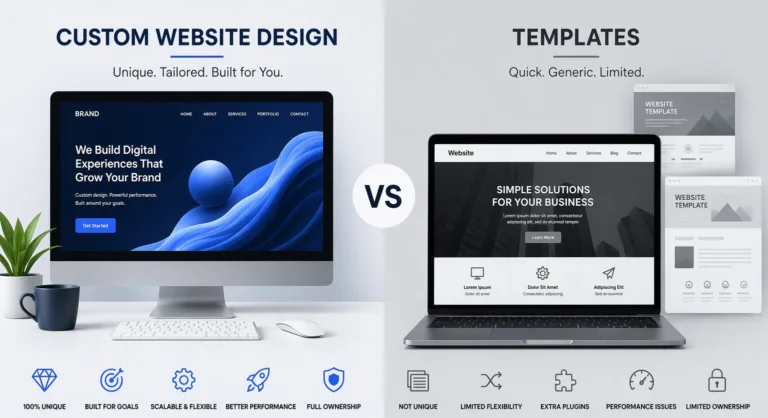
Many underperforming websites begin with a template and then force content into it. A better approach is to start with the buyer journey and design pages around decision-making. The layout should support the customer’s questions: What do you offer? Is it for me? Why should I trust you? What happens next? How do I contact you?
A conversion-ready website uses content hierarchy to answer these questions in order. The top of the page should establish relevance. The middle should explain benefits, proof and process. The lower sections should handle objections, provide FAQs and repeat the call-to-action. This approach helps turn Visitors into Customers because it respects how people evaluate risk and value.
Put the value proposition above the fold
The value proposition should be visible early, usually in the hero section or first screen of a key page. Webfor describes the value proposition as a concise statement explaining why someone should choose the business over a competitor, and recommends placing it prominently on the homepage in clear language.
For example, “Auckland website design for service businesses that need more qualified enquiries” is stronger than “We create beautiful digital experiences.” The first statement is specific, outcome-led and customer-focused. The second may sound polished, but it does not tell the visitor what problem is being solved.
A strong value proposition should clarify the audience, the offer and the outcome. It should also avoid jargon. Auckland customers should quickly understand whether the business serves their need, their location and their level of urgency.
Use page structure to reduce decision fatigue. A conversion-focused page should make scanning easy. Headings, subheadings, short paragraphs, comparison tables, service blocks, visual hierarchy and repeated CTAs help visitors process information without feeling overloaded. Wibble notes that visual hierarchy directs attention towards the most important elements, such as CTAs, product images and key information.
Page Element
Conversion Purpose
Auckland Website Example
Hero headline
Confirms relevance quickly
“Websites for Auckland service businesses that need more enquiries”
Benefit-led sections
Explains why the offer matters
Faster load times, clearer service pages and stronger enquiry pathways
Trust proof
Reduces perceived risk
Reviews, client logos, case studies and local examples
CTA blocks
Shows the next step
“Request a quote”, “Book a consultation” or “Call today”
FAQ section
Handles objections
Pricing, timelines, support, process and maintenance
Good page structure does not push visitors aggressively. It guides them with clarity. This is especially important for higher-value services, where customers need confidence before making contact.
Build Trust Before Asking for the Sale
People convert when they feel confident. Trust is built through design quality, clear copy, transparent information, customer proof, security signals and a credible brand presence. Webfor highlights social proof, security features and a compelling About page as important ways to establish credibility.
Wibble similarly identifies testimonials, reviews, security badges and certifications as trust-building elements.
In Auckland, trust can also come from local relevance. Visitors may look for evidence that the business understands the New Zealand market, serves Auckland suburbs, has worked with similar clients and is easy to contact. Generic global language can make a business feel distant, while specific local context makes it feel real.
Use proof, reviews and case studies
Social proof is powerful because it reduces uncertainty. Testimonials, Google reviews, before-and-after examples, client stories, project images and measurable results all help visitors believe the business can deliver. Case studies are particularly useful because they show the problem, the solution and the outcome.
Auckland businesses should use proof close to the point where visitors are making a decision. For example, a service page can include a short testimonial beside a contact form, while an ecommerce page can show reviews near product details. A homepage can include logos or project snapshots, but deeper proof should also appear on pages where visitors are deciding whether to enquire.
Make contact details and forms feel safe
Forms are often where conversion intent is won or lost. If the form is too long, unclear or intrusive, visitors may abandon it. If it feels safe and simple, they are more likely to complete it. Conversion guidance commonly recommends simplifying forms and checkout processes to reduce friction.
A good enquiry form should ask only for information needed to respond well. It should explain what happens after submission and, where relevant, provide alternatives such as phone, email or booking calendar. Security also matters. SSL, privacy reassurance and professional design all make visitors more comfortable sharing details.
Design Pages That Make Action Easy
A website that converts should not make visitors search for the next step. Calls-to-action need to be visible, specific and aligned with the visitor’s stage of decision-making. Someone reading a blog post may respond to “View our services”, while someone on a pricing or service page may be ready for “Request a quote”.
This is where design and copy must work together. Buttons, headings and microcopy should all tell the visitor what to do and why it matters. For businesses reviewing their wider web presence, a professional approach to Business Websites can help align design, content and conversion goals across every major page.
Simplify navigation and page structure
Navigation should prioritise the pages that matter most to customers and conversions. Common core pages include Home, Services, Work or Case Studies, About, Resources and Contact. If the menu becomes too crowded, visitors may struggle to choose where to go. Wibble recommends keeping navigation simple and grouping related items where possible.
Page structure should also support mobile users. Many Auckland customers will browse on phones while commuting, comparing providers after hours or searching for urgent services. Mobile responsiveness, fast load times and easy tap targets are therefore conversion requirements, not optional extras. Webfor identifies mobile responsiveness, loading speed and visual hierarchy as important components of user experience.
Strengthen calls-to-action on every key page
A call-to-action should be clear, actionable and visible. “Get Started”, “Request a Quote”, “Book a Consultation” or “Call Our Auckland Team” works better than vague language such as “Submit” or “Learn More” when the visitor is ready to act. Webfor describes CTAs as the linchpin of a conversion-focused website because they tell visitors what to do next.
CTA placement also matters. Important pages should include CTAs near the top, after key benefit sections, after proof sections and at the end. The goal is not to overwhelm the user but to make action available whenever they reach a decision point. For longer service pages, repeated CTAs reduce the need to scroll back to the top.
Measure, Test and Improve Conversion Performance
Designing a website to convert Visitors into Customers is not a one-off project. Customer behaviour changes, offers evolve, competitors improve and new search trends emerge. Ongoing optimisation helps the website remain commercially useful after launch.
Analytics can show which pages attract traffic, where visitors leave, which CTAs are clicked and which channels create enquiries. Webfor recommends tracking metrics such as bounce rate, session duration and user flow to identify problem areas and make data-driven improvements.
Kevin Francis Design also highlights analytics, conversion rates and A/B testing as tools for monitoring performance and improving results.
Track conversion behaviour over time
Auckland businesses should define conversions before measuring them. A conversion may be a phone call, contact form, quote request, booking, download, purchase, newsletter signup or click to directions. Once these actions are defined, the website can be measured against real business outcomes rather than vanity metrics.
Important metrics include conversion rate, form completion rate, call clicks, traffic source, landing page performance, bounce rate, scroll depth and user behaviour. These insights help identify whether the problem is traffic quality, page clarity, technical performance or the offer itself.
Use A/B testing and content updates. Small changes can have a meaningful impact. Testing different headlines, hero messages, CTA wording, form lengths or proof sections can show what resonates with visitors. A/B testing compares two versions of a page or element, helping businesses make decisions based on evidence rather than preference.
Improve speed, SEO and accessibility together. Conversion rate optimisation should not be isolated from technical quality. Faster pages support user experience. SEO-friendly structure helps attract relevant organic traffic. Accessible headings, alt text, readable contrast and keyboard-friendly navigation make the site easier for more people to use. These improvements reinforce each other and create a more resilient digital presence.
Final Checklist for Turning Visitors into Customers
A website that converts is built around clarity, trust and action. It helps customers understand the offer quickly, gives them reasons to believe, removes unnecessary friction and makes the next step obvious. For Auckland businesses, the most effective websites combine local relevance with proven conversion principles.
Conversion Area
What to Check
Why It Matters
Audience clarity
The page speaks directly to the visitor’s problem and intent
Relevance keeps visitors engaged
Value proposition
The main benefit is visible above the fold
Visitors understand why to choose the business
Navigation
Key pages are easy to find on desktop and mobile
Users do not get lost or frustrated
Trust signals
Reviews, testimonials, case studies and security cues are visible
Proof reduces perceived risk
CTAs
Buttons are specific, visible and repeated at decision points
Visitors know exactly what to do next
Forms
Enquiry forms are short, clear and reassuring
Fewer barriers increase submissions
Performance
Pages load quickly and work well on mobile
Speed and usability support conversions
Measurement
Analytics and conversion tracking are in place
Improvements can be based on evidence
The most important principle is that every design decision should support a business outcome. A beautiful page that does not help users act is incomplete. A conversion-focused page combines persuasive copy, intuitive navigation, responsive layouts, trust-building proof, clear CTAs and ongoing optimisation.
For Auckland businesses seeking more leads, bookings or sales, the question is not simply “Does our website look good?” The stronger question is: “Does our website help turn Visitors into Customers?” When the answer is yes, the website becomes a practical growth asset rather than a passive online presence.



 Landing Pages